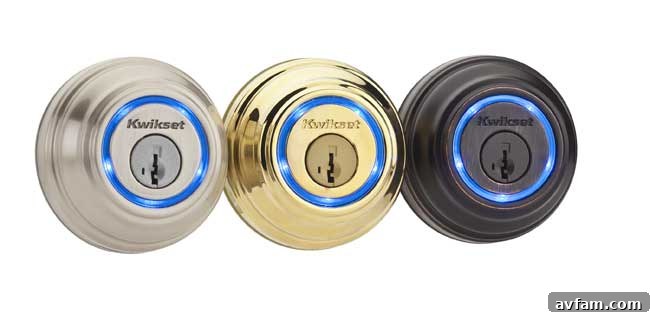
Kwikset Kevo Smart Lock Review: Embracing Keyless Living with Your iPhone
In an increasingly connected world, the concept of home security has evolved beyond traditional locks and keys. Smart locks promise convenience, enhanced control, and a modern aesthetic for the entryway. As someone who’s never quite mastered the art of keeping track of keys, the idea of a smart lock that works with my iPhone was incredibly appealing. I recently had the opportunity to put the Kwikset Kevo smart lock to the test, and after extensive use, I’m ready to share a comprehensive breakdown of its performance, features, and overall user experience.
The Kwikset Kevo isn’t just another deadbolt; it represents a significant leap forward in residential access control. Designed for ease of use and integrating seamlessly with your smartphone, it aims to eliminate the daily juggle for keys. But does it deliver on its promises? Let’s dive into what makes the Kevo a compelling choice for modern homeowners and where it could still improve.
Seamless Entry: How the Kwikset Kevo Redefines Access
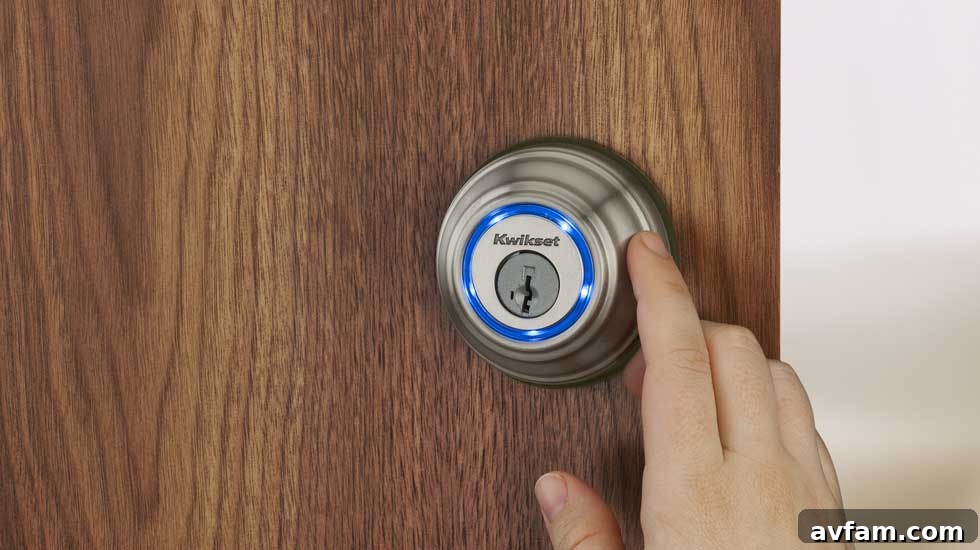
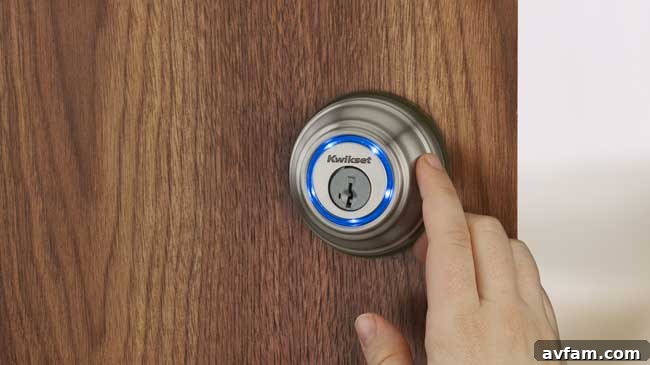
At its core, the Kwikset Kevo is all about simplifying your entry experience. The primary draw is its ability to lock and unlock your door with a simple touch, all while your smartphone remains securely in your pocket or bag. This “Touch-to-Open” technology, powered by Bluetooth, means no more fumbling for keys when your hands are full of groceries, wrangling children, or simply trying to get inside quickly.
Key Features That Stand Out:
- Effortless Smartphone Integration: Kevo transforms your iPhone into your key. Compatible with specific Apple devices (currently supporting iPhone 4s, 5, 5c, 5s, 6, and 6 Plus), the lock connects via Bluetooth, allowing you to tap the lock and gain entry or secure your home with minimal effort. This feature proves invaluable for busy individuals and families.
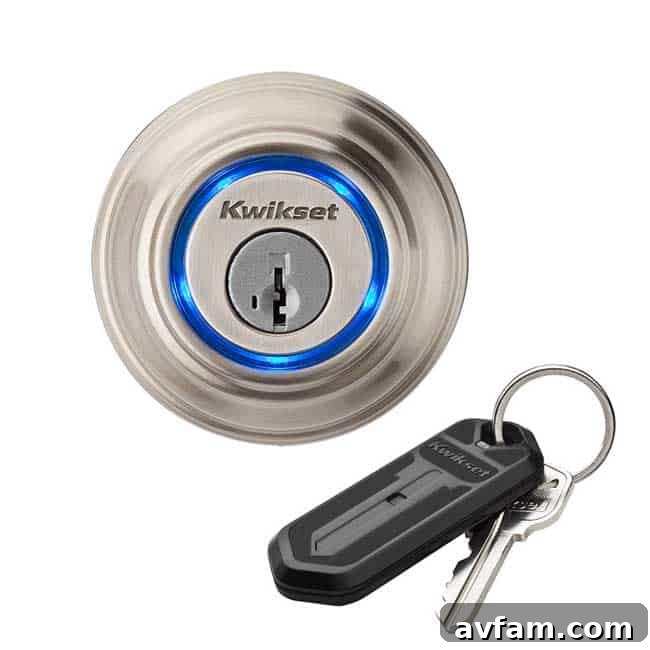
- Traditional Key Backup: Despite its smart capabilities, Kevo wisely retains a critical fail-safe: the option to use a standard physical key. This ensures that even if your phone runs out of battery or you simply prefer the traditional method, you’re never locked out. It provides peace of mind, bridging the gap between cutting-edge technology and established reliability.
- Advanced Security Measures: Kwikset has built a reputation for robust security, and the Kevo is no exception. It incorporates the brand’s proven pick-resistant and bump-proof design, offering enhanced protection against common lock manipulation techniques. This means upgrading to a smart lock doesn’t mean compromising on fundamental security.
- Kevo Fobs: Access for Everyone: For household members or guests without a compatible smartphone, Kevo includes a handy fob. This compact device replicates the “Touch-to-Open” functionality, working within a 2-4 foot range of the lock. Crucially, the system intelligently detects whether the fob is inside or outside the house, preventing unauthorized entry if a fob is left on an entryway table. Additional fobs can be purchased, making it ideal for children, pet sitters, or elderly family members.
- Digital Keys and Activity Tracking: The Kevo system truly shines in its access management capabilities. It comes with two digital keys that can be shared electronically with any compatible iPhone user. This feature is perfect for granting temporary access to contractors, service providers, or family members visiting while you’re away. The accompanying app meticulously logs who accessed the lock, when, and with which key, providing a clear audit trail and an added layer of security and oversight.
Installation & Setup: A DIY-Friendly Upgrade?
One of the initial concerns with any smart home device is often the installation process. Thankfully, installing the Kwikset Kevo is remarkably straightforward, particularly if you have prior experience with replacing a standard deadbolt. The underlying mechanics are similar, with a few added steps to accommodate the smart technology.
The Installation Journey:
- Familiar Footing: If you’ve ever installed a conventional deadbolt, you’ll find the Kevo’s mechanical installation quite familiar. It involves the usual screws and mounting plates, fitting neatly into standard door preparations.
- Wiring Made Simple: The “extra steps” largely pertain to connecting the internal wiring that powers the smart features. Kwikset has designed this to be intuitive, with clear connectors and a logical sequence. It’s not complex, even for those with minimal wiring experience.
- Powering Up and Activation: Once the hardware is physically installed, you insert the batteries, and the lock powers up. The next crucial step is the activation and calibration process, which guides the lock in learning its full range of motion.
- Bluetooth Syncing: The final stage involves syncing the Kevo with your iPhone via Bluetooth. The Kevo app facilitates this process, prompting you through the steps. While the general concept is simple, I did find the instruction manual for syncing could be clearer. Fortunately, resources like YouTube offer numerous video tutorials that provide excellent visual guidance, making the process much smoother for those who prefer visual learning.
My Personal Installation Experience:
I installed the Kevo on the pre-hung door connecting my kitchen and garage. This door features substantial weather stripping, which meant that when the deadbolt fully extended, it wasn’t perfectly aligned with the strike plate. This isn’t a flaw of the Kevo itself, but rather a common door alignment challenge. My solution was simple: a slight pull on the door to compress the gasket, allowing the bolt to seat properly. This minor adjustment highlights that while Kevo is easy to install, existing door conditions might require small tweaks. On a few occasions, someone carrying a Kevo fob has simply walked past the door, causing the lock to extend on its own. While not a security risk (as it still needs a tap to lock/unlock), it was a minor quirk to note.
The Kevo in Daily Life: Hits and Misses
Living with the Kwikset Kevo for an extended period has offered valuable insights into its strengths and weaknesses. Overall, it’s a robust solution for keyless entry, but like any technology, it has its nuances.
Kevo’s Strengths (The Hits):
- Unmatched Convenience: The “Touch-to-Open” feature truly delivers. Approaching the door with hands full and simply tapping the lock to enter feels futuristic and incredibly practical. It’s a game-changer for daily routines.
- Reliable Security: The combination of Kwikset’s bump-proof technology and the ability to track access via digital keys provides a strong sense of security. Knowing who entered and when offers peace of mind, especially when entrusting access to others.
- Flexible Access Management: The ability to issue, revoke, and schedule digital keys is a significant advantage over traditional keys. No more worrying about lost keys or making copies; everything is managed securely through the app. The fobs also ensure that everyone in the household, regardless of smartphone ownership, can enjoy keyless entry.
- Simple Operation: Once installed and synced, the Kevo is intuitive to use. The tap-to-open and tap-to-lock functions become second nature very quickly.
- Battery Life Indicators: While battery life wasn’t explicitly mentioned in the original text, a crucial aspect of smart locks is power management. The Kevo app provides timely notifications for low battery, ensuring you have ample warning to replace the AA batteries before they die, preventing unexpected lockouts.
Areas for Improvement (The Misses):
- Internal Aesthetics: While the exterior design of the Kevo is generally sleek, the internal portion of the lock, which houses the battery pack and motor, might not appeal to everyone’s aesthetic preferences. It’s functional but can be somewhat bulky, potentially clashing with more minimalist interior decors.
- Occasional Quirks and Calibration: There were a few instances where the lock seemed to have “a mind of its own,” attempting to extend or retract unexpectedly. While these occurrences were rare and didn’t compromise security, they suggest minor calibration sensitivities. Ensuring a clear line of sight for Bluetooth and minimizing interference is crucial for optimal performance.
- Syncing Experience Could Be Smoother: As noted earlier, the initial syncing instructions could benefit from refinement. Although not inherently difficult, a more streamlined, in-app tutorial could reduce reliance on external resources and improve the first-time user experience.
- Limited “Smart Home” Integration: It’s important to clarify that the Kwikset Kevo, in its basic form, is a Bluetooth-only smart lock. This means you cannot remotely lock or unlock your door from your computer or when you’re away from home unless you integrate it with a compatible Kevo Plus hub or a smart home system like Amazon Alexa or Google Assistant (often requiring additional bridge devices). If true remote access and extensive smart home automation are your top priorities, you’ll need to consider these additional components or explore Wi-Fi enabled smart locks.
Who is the Kwikset Kevo For?
The Kwikset Kevo is an excellent option for:
- Individuals seeking simple, reliable keyless entry: If your primary goal is to ditch the physical keys and enjoy hands-free access with your iPhone, Kevo excels.
- Families with varied access needs: The combination of smartphone control, fobs for non-smartphone users, and digital keys for guests makes it incredibly versatile.
- Homeowners prioritizing security: With Kwikset’s robust physical security and the added layer of digital access logs, it offers peace of mind.
- Those with existing deadbolt installations: Kevo is designed to replace standard deadbolts, fitting seamlessly into most existing door preparations. Note that Kevo is not available as a handle set.
Final Verdict: Is the Kwikset Kevo Worth the Investment?
The Kwikset Kevo smart lock is a well-engineered product that delivers significantly on its promise of convenient, keyless entry. Its “Touch-to-Open” functionality, coupled with robust security features and flexible access management through digital keys and fobs, makes it a highly attractive option for modern homeowners. While the internal aesthetics might not suit every taste, and true remote “smart home” integration requires additional components, its core functionality is impressive and reliable.
If you’re looking to simplify your daily routine, enhance your home’s security, and embrace the future of keyless living without being overly concerned about the internal appearance or requiring extensive remote smart home control, the Kwikset Kevo is a strong contender. It’s a pragmatic and effective step towards a smarter, more convenient home.
For more detailed specifications and information about the Kwikset Kevo, be sure to visit their official website.